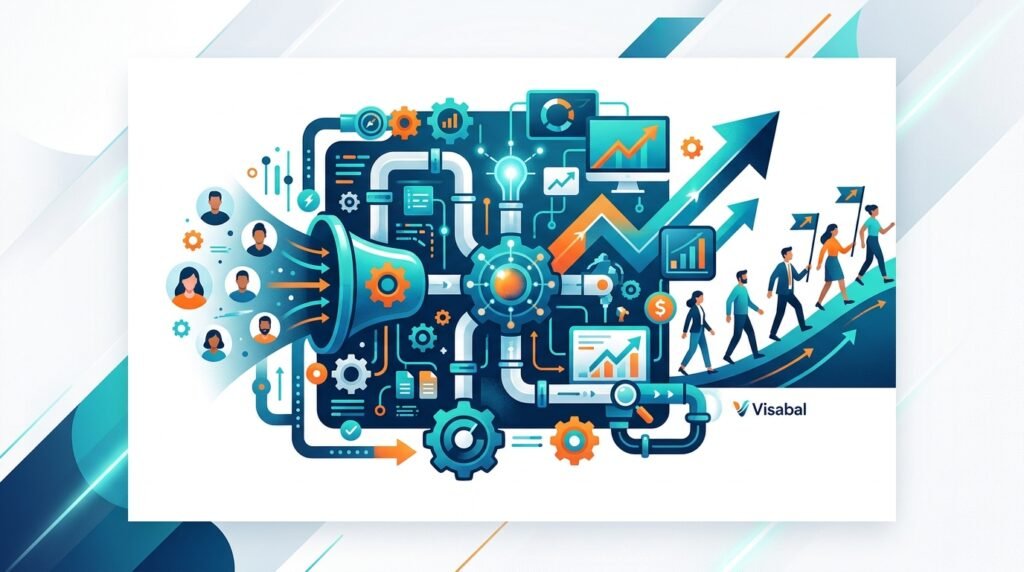
Customer acquisition becomes expensive when every new lead depends on manual effort. If your team is constantly chasing prospects, sending one-off follow-ups, rebuilding campaigns, and guessing what works, growth will eventually stall. The better approach is to build a repeatable system that attracts the right people, captures demand, nurtures leads, and moves qualified prospects toward a sale with less day-to-day manual work.
That is the core of learning how to automate customer acquisition. Automation is not about removing the human element from sales and marketing. It is about using technology, data, and clear workflows so your team can spend more time on high-value conversations and less time on repetitive tasks.
At Visabal, we believe customer acquisition should be treated like an operating system: measurable, consistent, and designed to improve over time. This guide walks through how to build that system from strategy to execution.
What customer acquisition automation means
Customer acquisition automation is the process of using tools, workflows, and data to automatically manage parts of the customer journey, including lead generation, lead capture, segmentation, nurturing, qualification, follow-up, and conversion tracking.
A strong acquisition automation system can help you:
- Capture leads from your website, landing pages, ads, events, and social channels
- Route leads to the right workflow based on their needs and behavior
- Send timely email or SMS follow-ups
- Score leads based on engagement and fit
- Notify sales when a prospect is ready for outreach
- Retarget visitors who did not convert
- Track which campaigns produce revenue
- Improve conversion rates without increasing manual workload
The goal is not to automate everything. The goal is to automate the right things so that people, messaging, and timing work together.
Step 1: Define your ideal customer and acquisition goals
Before you automate customer acquisition, clarify who you are trying to acquire and what success looks like. Automation will only amplify the strategy behind it. If your audience targeting is vague, your automated campaigns will feel generic. If your offer is unclear, your workflows will not convert.
Start with these questions:
- Who is your ideal customer?
- What problem are they actively trying to solve?
- What triggers them to look for a solution?
- What objections stop them from buying?
- What action should they take first: book a call, request a quote, start a trial, download a guide, or make a purchase?
- What is your target cost per lead, cost per acquisition, or return on ad spend?
For example, a local service business may want to automate quote requests and appointment booking. A B2B company may want to automate lead nurturing until a prospect is ready for a sales conversation. An ecommerce brand may want to automate product recommendations, abandoned cart recovery, and post-purchase upsells.
Once the goal is clear, the automation can be designed around the desired customer action.
Step 2: Map the customer journey
You cannot automate a journey you have not mapped. Customer acquisition usually includes several stages:
- Awareness: The prospect discovers your brand through search, ads, social media, referrals, or content.
- Interest: They visit your website, read content, compare options, or engage with your offer.
- Lead capture: They submit a form, book a call, start a trial, join a list, or claim an incentive.
- Nurture: They receive helpful content, proof, reminders, and answers to objections.
- Conversion: They buy, schedule, subscribe, sign, or speak with sales.
- Retention and referral: They receive onboarding, follow-up, and referral prompts.
For each stage, identify where prospects drop off. Do website visitors leave without taking action? Do leads fail to respond after submitting a form? Does sales follow-up take too long? These friction points are where automation can have the biggest impact.
Step 3: Build lead capture assets that work 24/7
A customer acquisition system needs reliable entry points. These are the pages, forms, and offers that convert anonymous visitors into known leads.
Effective automated lead capture assets include:
- SEO landing pages targeting high-intent searches
- Paid ad landing pages with one clear call to action
- Lead magnets such as guides, checklists, calculators, or templates
- Website forms with only the fields you truly need
- Chatbots or conversational forms for quick qualification
- Online booking pages connected to calendar availability
- Exit-intent or time-based offers for engaged visitors
The best lead capture flows are simple. A visitor should immediately understand what you offer, why it matters, what proof supports it, and what to do next. If the form is too long or the next step is confusing, automation will not fix the conversion problem.
Step 4: Segment leads automatically
Not every lead should receive the same follow-up. A first-time visitor downloading a beginner guide has different intent than someone requesting pricing. Segmentation allows your system to personalize communication based on behavior, source, fit, and stage.
Useful segmentation criteria include:
- Lead source, such as organic search, paid ads, referral, or social
- Offer or page they converted on
- Company size, industry, location, or budget
- Product or service interest
- Engagement level, such as email clicks or repeat visits
- Buying stage, such as research, comparison, or ready to purchase
Once leads are segmented, you can send more relevant messages. For example, a lead who downloads a guide can receive educational emails, while a lead who visits a pricing page twice can be routed to a sales alert or booking prompt.
Step 5: Create automated nurture sequences
Most prospects do not convert the first time they interact with your brand. Automated nurture sequences keep your business visible while building trust.
A strong nurture sequence should include:
- A fast welcome message after the lead converts
- Helpful content related to the problem they showed interest in
- Social proof such as case studies, reviews, or testimonials
- Objection-handling emails that address cost, timing, complexity, or trust
- Clear calls to action based on the next logical step
- Re-engagement messages for leads who stop interacting
Timing matters. If someone requests information, the first response should arrive immediately. If they click a key link or revisit a service page, your system can trigger a more direct follow-up. The more closely your automation matches the buyer’s intent, the better it performs.
Step 6: Use lead scoring to prioritize sales outreach
Lead scoring helps your team focus on the prospects most likely to become customers. A score can be based on both fit and behavior.
Fit signals may include:
- Industry
- Location
- Company size
- Role or decision-making authority
- Budget range
- Service need
Behavior signals may include:
- Visiting pricing or service pages
- Opening and clicking emails
- Attending a webinar
- Booking a demo
- Returning to your website multiple times
- Completing a high-intent form
When a lead reaches a certain score, automation can notify sales, assign the lead to an owner, create a CRM task, or trigger a personal outreach sequence. This helps your team respond quickly when interest is highest.
Step 7: Automate follow-up without sounding robotic
Speed-to-lead is one of the easiest places to improve acquisition performance. Many businesses lose customers simply because they respond too slowly or inconsistently.
Automated follow-up can include:
- Instant confirmation emails
- Appointment reminders
- Missed-call text responses
- Proposal follow-ups
- Abandoned booking reminders
- Post-demo recap emails
- No-response sequences
The key is to write automation like a human. Use clear language, keep messages short, and make the next step obvious. A good automated follow-up should feel helpful, not pushy.
For example, instead of sending a generic message that says someone will be in touch, send a direct confirmation with what happens next, a link to book time, and one helpful resource related to their request.
Step 8: Connect your CRM, website, and marketing channels
Automation works best when your systems share data. If your website forms, CRM, email platform, ad accounts, and analytics tools are disconnected, your team will lack visibility into what is actually driving revenue.
A connected acquisition stack allows you to:
- See which campaigns generate qualified leads
- Track the full path from first visit to sale
- Avoid duplicate manual data entry
- Trigger workflows based on real behavior
- Measure conversion rates by source and segment
- Improve budget allocation
At minimum, your acquisition system should connect lead capture forms, CRM records, email automation, calendar booking, and analytics. As the system matures, you can add retargeting audiences, call tracking, SMS, reporting dashboards, and lifecycle attribution.
Step 9: Measure the metrics that matter
To automate customer acquisition effectively, track metrics across the entire funnel rather than focusing only on traffic or leads.
Important metrics include:
- Website visitor-to-lead conversion rate
- Landing page conversion rate
- Cost per lead
- Lead-to-opportunity conversion rate
- Opportunity-to-customer conversion rate
- Cost per acquisition
- Average deal size or customer value
- Email open and click rates
- Speed-to-lead response time
- Revenue by channel
These numbers show where the system is working and where it needs improvement. If leads are cheap but do not become customers, targeting or qualification may be weak. If qualified leads do not book calls, the follow-up sequence may need improvement. If calls happen but deals do not close, the issue may be sales enablement or offer positioning.
Step 10: Optimize continuously
Automation is not a one-time setup. It is an ongoing growth process. Once your system is live, review performance regularly and improve one part of the funnel at a time.
High-impact optimization opportunities include:
- Testing landing page headlines and calls to action
- Shortening forms to reduce friction
- Improving email subject lines and message timing
- Adding stronger proof near conversion points
- Adjusting lead scoring rules
- Updating nurture content based on common objections
- Removing steps that create delay or confusion
- Increasing spend on channels that produce customers, not just clicks
The businesses that win with automation are not the ones with the most complex tools. They are the ones with the clearest customer journey, strongest follow-up, and best feedback loop.
Common mistakes to avoid
When learning how to automate customer acquisition, avoid these pitfalls:
- Automating before defining the strategy
- Sending every lead the same generic sequence
- Measuring leads instead of customers
- Overcomplicating workflows too early
- Ignoring sales team feedback
- Using too many tools that do not integrate
- Failing to update old campaigns and content
- Treating automation as a replacement for real relationships
Automation should make your acquisition process more relevant, timely, and measurable. If it creates confusion or distance, simplify it.
Final thoughts
Customer acquisition automation gives businesses a scalable way to attract, nurture, and convert prospects without relying on manual effort at every step. The right system captures demand, responds instantly, personalizes communication, prioritizes high-intent leads, and gives your team the data needed to improve.
If you want to automate customer acquisition, start with the journey. Define your ideal customer, create strong lead capture assets, segment your audience, build nurture sequences, connect your tools, and measure performance from lead to revenue.
Visabal helps businesses think in systems, not scattered tactics. When your acquisition process is automated with the right strategy behind it, growth becomes more predictable, your team becomes more focused, and your customers get a better experience from the first interaction.
Frequently asked questions
What is the best way to automate customer acquisition?
The best way to automate customer acquisition is to map your customer journey, create strong lead capture points, segment leads automatically, build nurture sequences, connect your CRM and marketing tools, and measure performance from first touch to revenue.
Can customer acquisition be fully automated?
Some parts of customer acquisition can be automated, such as lead capture, follow-up, segmentation, scoring, reminders, and reporting. However, high-value sales conversations, relationship building, and strategic decision-making usually still need a human touch.
What tools are needed to automate customer acquisition?
Most businesses need a CRM, website or landing page builder, email automation platform, analytics system, calendar booking tool, and integrations between these systems. Depending on the business model, SMS, retargeting, chat, and call tracking may also be useful.
How does automation reduce customer acquisition cost?
Automation reduces customer acquisition cost by improving response time, increasing conversion rates, reducing manual work, nurturing leads more consistently, and helping teams spend budget on the channels and campaigns that produce real customers.
When should a business start automating customer acquisition?
A business should start automating customer acquisition once it has a clear offer, a defined target customer, and at least one proven acquisition channel. Starting with simple workflows is better than waiting until the process becomes too complex to manage manually.