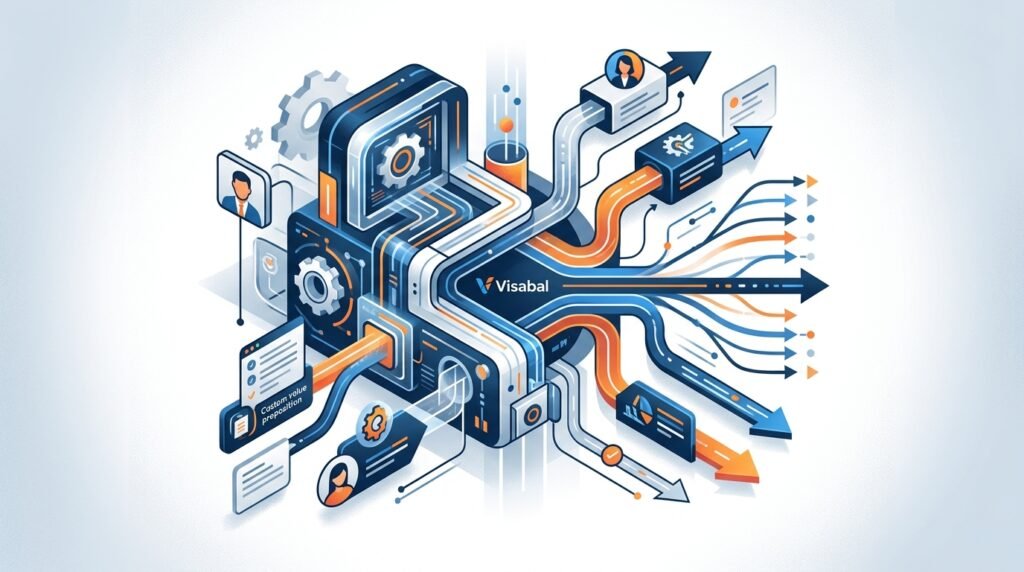
Outbound sales can create predictable pipeline, but only when the process is consistent. The challenge is that most teams try to scale outreach by simply sending more emails or adding more manual prospecting hours. That usually leads to messy data, generic messaging, missed follow-ups, and frustrated reps.
The better approach is to automate outbound sales as a system. Automation should not replace strategy or human judgment. It should remove repetitive work, improve timing, keep records clean, and help sales teams focus on conversations that are most likely to turn into revenue.
In this guide, we’ll walk through how to automate sales outreach from list building to follow-up, while keeping your outreach relevant, compliant, and conversion-focused.
What outbound sales automation actually means
Outbound sales automation is the use of tools, workflows, and rules to streamline the repetitive parts of prospecting and outreach. This can include finding leads, enriching contact data, segmenting accounts, sending sequenced emails, triggering follow-ups, routing replies, logging CRM activity, and measuring performance.
The goal is not to blast as many prospects as possible. The goal is to build a repeatable outbound engine where the right people receive the right message at the right time, and your team can quickly identify who is interested.
A strong outbound automation system usually includes:
- A clearly defined ideal customer profile
- Reliable prospect and company data
- Segmented messaging by persona or use case
- Automated email and follow-up sequences
- CRM syncing and task creation
- Reply detection and handoff rules
- Performance reporting by campaign, segment, and message
For a business like Visabal, the priority is helping teams turn outbound from a manual guessing game into a measurable workflow that can improve over time.
How to automate sales outreach: the workflow in brief
If you are trying to understand how to automate sales outreach, think of it as a connected workflow rather than a single tool. The workflow starts before the first email is sent and continues after a prospect replies.
A practical sales outreach automation workflow looks like this:
- Define who you want to reach and why they are a fit.
- Build or import prospect data that matches that target profile.
- Clean, validate, deduplicate, and suppress contacts that should not be contacted.
- Segment prospects by persona, account type, pain point, or trigger event.
- Write message templates for each segment, leaving room for specific personalization.
- Build a multi-touch sequence across email, calls, LinkedIn, or rep tasks.
- Set rules for pausing, routing, and notifying reps when prospects engage.
- Sync every important activity and status change back to the CRM.
- Review performance by segment and improve the next campaign based on replies, meetings, and pipeline.
This is what separates healthy automation from mass outreach. Sales outreach automation should make each step more reliable, not make the outreach feel less relevant. The best systems use automation to handle timing, data movement, reminders, and repetitive tasks while reps focus on research, judgment, relationship-building, and live conversations.
Step 1: Define your ideal customer profile before automating anything
Automation amplifies whatever process you already have. If your targeting is weak, automation will only help you reach the wrong people faster.
Before building sequences or importing contacts, define your ideal customer profile, often called your ICP. Your ICP should include the types of companies most likely to buy, benefit from, and retain your solution.
Document criteria such as:
- Industry or niche
- Company size
- Revenue range
- Geography
- Technology stack
- Hiring signals
- Recent funding or growth events
- Pain points your offer solves
- Buying committee roles
Then define your buyer personas. For example, a VP of Sales may care about pipeline coverage and team productivity, while a Founder may care about efficient growth and revenue predictability. Both could be valid prospects, but they need different messaging.
A useful rule: if two groups have different pains, priorities, or buying triggers, they deserve different outbound segments.
Step 2: Build and clean your prospect data
Outbound automation depends on data quality. Bad data causes bounces, damages deliverability, wastes sales time, and makes reporting unreliable.
Start with a focused list rather than a massive one. Pull accounts and contacts that match your ICP, then enrich the records with the information needed for personalization and routing.
Important data points include:
- First name and last name
- Work email address
- Job title
- Company name
- Company website
- LinkedIn profile
- Industry
- Employee count
- Location
- Relevant trigger events
- CRM owner or territory
Once you have the list, validate emails and remove duplicates. Standardize company names, job titles, and fields so your automation rules work properly. For example, if one record says VP Sales and another says Vice President of Sales, your segmentation may become inconsistent unless your data is normalized.
Do not skip suppression lists. Remove current customers, active opportunities, unsubscribed contacts, competitors, and anyone your team should not contact.
Step 3: Segment your outbound campaigns
Segmentation is where outbound automation becomes effective. Instead of sending one generic message to everyone, organize prospects into groups based on shared context.
You can segment by:
- Persona: founder, sales leader, marketing leader, operations leader
- Industry: SaaS, agencies, professional services, ecommerce, healthcare
- Company size: startup, mid-market, enterprise
- Pain point: low reply rates, inconsistent follow-up, manual prospecting, poor CRM hygiene
- Trigger: hiring sales reps, launching a new product, expanding into a market
- Funnel stage: cold prospect, engaged prospect, previous conversation, reactivation
Each segment should have a specific hypothesis. For example: Sales leaders at 50-200 employee B2B companies are likely struggling to create enough qualified meetings without overloading their reps.
That hypothesis becomes the foundation for your message.
Segmentation also helps you decide what should be automated and what should stay manual. A broad reactivation campaign may need lightweight personalization, while a high-value enterprise account may need deeper research before the first touch. In both cases, automation can still control the sequence logic, task creation, CRM updates, and follow-up timing.
Step 4: Write sequence copy that sounds human
A common mistake in outbound sales automation is making the copy too automated. Prospects can instantly recognize vague, mass-produced outreach.
Good outbound messages are short, specific, and relevant. They explain why you are reaching out, connect to a likely business problem, and make the next step easy.
A simple cold email structure:
- Personalized opener or relevant context
- Clear problem statement
- Brief value proposition
- Low-friction call to action
Example:
Hi Jordan — noticed your team is hiring outbound SDRs across two regions. When teams scale prospecting quickly, follow-up consistency and CRM accuracy often become difficult to manage.
Visabal helps teams build automated outbound workflows so reps can spend less time on manual admin and more time with qualified prospects.
Worth comparing how your current outbound process is set up?
The message is not long, but it is specific. It uses a trigger, identifies a likely pain, and invites a conversation without pushing too hard.
When you automate sales outreach, use templates as flexible frameworks rather than rigid scripts. The parts that can often be automated include the send schedule, merge fields, persona-based pain points, and follow-up branching. The parts that may need human input include the first line, account-specific observation, custom value angle, or reply handling.
Step 5: Create a multi-touch outbound sequence
Most prospects will not respond to the first message. Outbound automation helps you follow up consistently without relying on memory.
A practical sequence might look like this:
- Day 1: Initial cold email
- Day 3: Follow-up with a different angle or pain point
- Day 6: LinkedIn profile view or connection request
- Day 8: Email with a short proof point or use case
- Day 12: Call task or voicemail for high-value accounts
- Day 16: Breakup email with a simple yes/no question
The key is to avoid repeating the same message. Every touch should add context, clarify value, or make it easier to reply.
You can also set automation rules based on behavior. If a prospect opens multiple emails or clicks a relevant link, create a call task. If they reply, automatically pause the sequence. If they unsubscribe, immediately suppress them from future outreach.
Sales outreach automation can also support different paths based on engagement. For example, a prospect who replies positively should be routed to a rep quickly. A prospect who asks for more information may need a manual response and a follow-up task. A prospect who says they are not the right person may need referral handling instead of being pushed through the same sequence.
Step 6: Automate CRM updates and rep tasks
Outbound teams lose a lot of time to manual CRM work. Automation can keep records accurate and reduce administrative friction.
Common CRM automations include:
- Creating leads or contacts when prospects enter a campaign
- Assigning records by territory, company size, or owner
- Logging email activity automatically
- Updating lifecycle stage based on replies or meetings booked
- Creating follow-up tasks after positive engagement
- Pausing sequences when an opportunity is created
- Notifying the right rep when a key account engages
Clean CRM automation also makes reporting more reliable. If campaign activity is not logged consistently, it becomes difficult to know which segments, messages, and reps are producing pipeline.
The handoff between automation and humans is especially important. A reply should not sit unseen because the system was only built to send emails. Define what happens after every meaningful signal: positive reply, referral, objection, meeting booked, unsubscribe, out-of-office response, or bounced email.
Step 7: Protect deliverability and compliance
Automation only works if your messages reach the inbox. Deliverability should be treated as part of your outbound strategy, not an afterthought.
Follow these best practices:
- Use verified sending domains
- Warm up new inboxes gradually
- Keep daily send volume reasonable
- Validate emails before sending
- Avoid spammy language and excessive links
- Include a clear opt-out method
- Honor unsubscribe requests immediately
- Monitor bounce rates and spam complaints
You should also follow applicable privacy and anti-spam laws in the markets where you operate, such as CAN-SPAM, GDPR, and other regional regulations. Make sure your team has a lawful basis for outreach and a process for managing opt-outs.
Compliance should be built into the automation workflow. Suppression lists, unsubscribe handling, data retention rules, and contact source tracking should not depend on a rep remembering to update a spreadsheet. If someone opts out or should not be contacted, the system should prevent future outreach automatically.
Step 8: Measure the right outbound metrics
Automation gives you more data, but not all metrics are equally useful. Opens can be directional, but they are less reliable because of privacy settings and email client behavior.
Focus on metrics that connect to pipeline quality:
- Bounce rate
- Reply rate
- Positive reply rate
- Meeting booking rate
- Opportunity creation rate
- Pipeline generated
- Conversion rate by sequence step
- Unsubscribe rate
- Performance by persona, segment, and trigger
- Time from engagement to rep follow-up
Do not only measure activity. A campaign can send many emails and still create poor pipeline if the targeting is wrong or the message is too generic. Review which segments produce positive conversations, which steps generate replies, and where prospects drop off.
Use this information to improve the next version of your outreach. You may need to narrow the ICP, rewrite the first email, change the call to action, add a manual review step for high-value accounts, or adjust how quickly reps follow up after engagement.
Step 9: Keep personalization scalable
The main fear with automation is that outreach will become robotic. That happens when teams confuse personalization with inserting a first name or company name.
Scalable personalization is about relevance. It uses shared context to make a message feel appropriate for the recipient without requiring every email to be written from scratch.
Ways to personalize at scale include:
- Segmenting by persona and business problem
- Referencing a relevant trigger event
- Matching the use case to the company type
- Adjusting proof points by industry or role
- Using different calls to action for different levels of awareness
- Adding manual research for strategic accounts
For lower-value or broader campaigns, automation can handle more of the message structure. For high-value accounts, automation should create the workflow and reminders while reps add deeper research and judgment.
Common mistakes when automating sales outreach
Sales outreach automation fails when it is treated as a volume shortcut instead of a quality system. Avoid these common mistakes:
- Automating before the ICP is clear
- Importing large lists without validation or suppression
- Sending one generic sequence to every persona
- Using personalization tokens without real relevance
- Ignoring deliverability until performance drops
- Failing to pause sequences after replies or opportunity creation
- Measuring only opens, sends, or vanity activity
- Not giving reps clear ownership of engaged prospects
The fix is to build the process in layers. Start with one strong segment, one clear hypothesis, one sequence, and one reporting loop. Once that works, expand to additional personas, triggers, or channels.
Final thoughts
Automating outbound sales is not about removing people from the sales process. It is about removing the repetitive work that prevents sales teams from focusing on the right conversations.
When you automate sales outreach correctly, your team gets cleaner data, more consistent follow-up, better CRM visibility, and more useful performance insights. Prospects get messaging that is more timely and relevant. Reps get a clearer path from first touch to qualified conversation.
Start with targeting, data quality, segmentation, and message relevance. Then use automation to make the process repeatable, measurable, and easier to improve.
Frequently asked questions
What is the best way to automate sales outreach?
The best way to automate sales outreach is to define your ideal customer profile, clean and validate prospect data, segment contacts, build personalized sequences, automate CRM updates, set reply-routing rules, and measure results by replies, meetings, and pipeline.
Can outbound sales be fully automated?
Some parts of outbound sales can be automated, such as list management, email sequencing, follow-up reminders, CRM logging, and routing. However, strategy, personalization, objection handling, and sales conversations still require human judgment.
How many emails should be in an outbound sales sequence?
A typical outbound sequence includes four to six touches across two to three weeks. The right number depends on your audience, deal size, channel mix, and engagement signals. Each follow-up should add value rather than repeat the same message.
How do you keep automated outbound emails personalized?
Keep automated outbound emails personalized by segmenting prospects carefully, using relevant triggers, referencing persona-specific pain points, and customizing opening lines or value propositions based on company context.
What metrics matter most for outbound sales automation?
The most important metrics include bounce rate, reply rate, positive reply rate, meeting booking rate, opportunity creation rate, pipeline generated, unsubscribe rate, and performance by segment or persona.