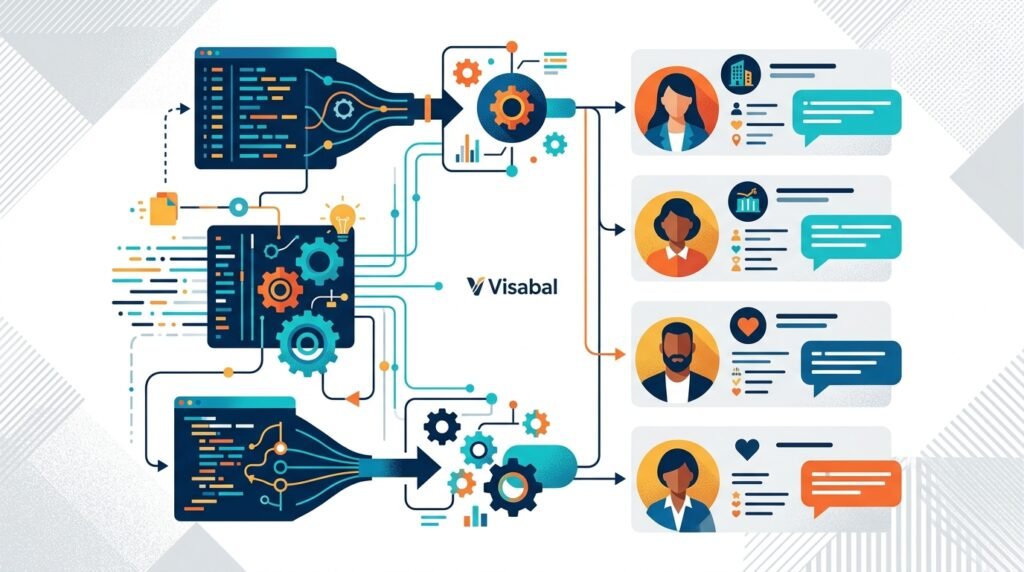
Prospect research is one of the most important steps in any sales, recruiting, partnership, or business development workflow. It is also one of the easiest steps to let consume too much time. Manually checking websites, LinkedIn profiles, company pages, news mentions, job posts, funding updates, and technology stacks can quickly turn a simple outreach campaign into a week-long research project.
That is why many teams are asking the same practical question: how to automate prospect research while still keeping outreach relevant, accurate, and human.
The goal is not to remove judgment from the process. The goal is to remove repetitive work, standardize what gets collected, prioritize the best-fit accounts, and give your team better context before they reach out. When done well, automated prospect research helps you spend less time hunting for information and more time starting better conversations.
What automated prospect research means
Automated prospect research is the process of using systems, data sources, rules, and workflows to collect and organize information about potential customers or contacts.
Instead of asking a sales rep to manually research every account from scratch, automation can help identify:
- Company size and industry
- Location and service area
- Key decision makers
- Recent company news
- Hiring activity
- Funding events
- Website changes
- Technology usage
- Buying signals
- Contact information
- Existing CRM history
- Fit score or priority level
This information can then be pushed into your CRM, sales engagement platform, spreadsheet, or internal workspace so your team can act on it.
The best systems do not simply dump more data into your process. They filter, structure, and summarize information so each prospect becomes easier to understand.
Why prospect research is hard to scale manually
Manual research works when you are dealing with a small number of high-value accounts. If your team only targets 10 strategic accounts per quarter, deep manual investigation may be worth it.
But most growth teams need to evaluate hundreds or thousands of prospects. At that volume, manual research creates several problems:
-
Inconsistent quality
Different people collect different information. One rep may note recent hiring trends, while another only logs company size. -
Slow campaign launches
Teams delay outreach because research is never finished. The list is built, but no one feels confident enough to act. -
Stale information
Prospect data changes constantly. A company that was not hiring last month may be hiring this month. A decision maker may change roles. -
Low-value busywork
Copying titles, URLs, snippets, and notes from one tool to another is not strategic selling. It is administrative drag. -
Weak personalization
Ironically, when research takes too long, teams often skip personalization altogether and send generic messages.
Automation solves these issues by making prospect research repeatable.
Step 1: Define your ideal customer profile before automating
Before you automate anything, get clear on what a good prospect looks like. Automation will only amplify the quality of your inputs. If your targeting criteria are vague, your automated research will produce noisy results.
Start with your ideal customer profile, often called an ICP. Define the characteristics that make an account worth pursuing.
Useful criteria include:
- Industry or niche
- Company size
- Annual revenue range
- Geography
- Business model
- Growth stage
- Tools or technologies used
- Recent business events
- Pain points your offer solves
- Buying committee roles
- Disqualifying factors
For example, a strong ICP might be: B2B SaaS companies in North America with 50 to 500 employees, active hiring for sales or customer success roles, using a modern CRM, and showing recent growth signals.
A weak ICP would be: companies that might need sales help.
The more specific you are, the easier it becomes to build useful automation.
Step 2: Choose the research signals that matter
Not every data point deserves a place in your workflow. The best automated prospect research focuses on signals that influence timing, fit, or messaging.
There are three main types of prospect research signals.
Fit signals
Fit signals tell you whether the account matches your target market. Examples include industry, company size, location, revenue, business model, and technology stack.
These signals help you answer: Should we pursue this prospect at all?
Intent or timing signals
Timing signals suggest that a prospect may be more likely to respond now. Examples include recent funding, hiring spikes, leadership changes, new office openings, product launches, website updates, or public statements about growth.
These signals help you answer: Is now a good time to reach out?
Personalization signals
Personalization signals help you tailor your message. Examples include a decision maker’s role, recent post, company initiative, public interview, case study, or job opening.
These signals help you answer: What should we say that proves this message is relevant?
Visabal recommends separating these signal types in your workflow. Fit determines whether a prospect enters your pipeline. Timing determines priority. Personalization determines the angle of your outreach.
Step 3: Build a repeatable data collection workflow
Once you know what to collect, define where it comes from and where it should go.
Common sources for prospect research include:
- Company websites
- LinkedIn company pages and profiles
- Business directories
- Job boards
- News databases
- Funding databases
- Review sites
- CRM records
- Email engagement history
- Website visitor data
- Public registries
- Technology lookup tools
Your workflow should answer four questions:
- What triggers research to begin?
- Which sources are checked?
- Which fields are captured?
- Where is the finished research stored?
For example, a trigger might be a new company added to a target account list. The automation then enriches the account with company size, industry, headquarters, key contacts, hiring activity, and recent news. It then updates the CRM and assigns a priority score.
This turns research into an operating system instead of a task someone has to remember.
Step 4: Use scoring to prioritize the best prospects
Automation becomes much more valuable when it helps your team decide what to do first.
Create a prospect scoring model using the signals you already collect. You can keep it simple at first.
Example scoring framework:
- +10 points if company matches target industry
- +10 points if employee count is within ICP range
- +15 points if company is hiring for relevant roles
- +15 points if recent funding or expansion is detected
- +10 points if target decision maker is identified
- -20 points if company is outside service region
- -25 points if company is too small or too large
The result is a prioritized list rather than a raw database. Your sales or growth team can focus on the prospects most likely to convert.
You can also use scoring to route accounts. High-score prospects may go to experienced reps. Mid-score prospects may enter a nurture sequence. Low-score prospects may be excluded from outreach.
Step 5: Generate research summaries, not data dumps
One of the biggest mistakes in automation is collecting too much information without making it usable.
A rep does not need 40 fields of raw data before sending an email. They need a concise summary that answers:
- Who is this company?
- Why do they fit?
- What changed recently?
- Who should we contact?
- What outreach angle makes sense?
A useful research summary might look like this:
- Company: Mid-market logistics software provider
- Fit: Matches target industry and employee range
- Trigger: Hiring 12 sales and customer success roles this month
- Decision maker: VP of Revenue
- Suggested angle: Growth is creating pressure on onboarding and sales execution
This gives the sender enough context to write a relevant message quickly.
Step 6: Keep humans in the loop
Learning how to automate prospect research does not mean trusting automation blindly. Human review still matters, especially for high-value prospects and outbound messages.
Use automation to do the first pass. Then have a person verify important details before outreach.
Human review is especially important when:
- The prospect is a strategic account
- The data source may be outdated
- The message references a sensitive event
- The contact’s role is unclear
- The outreach is highly personalized
A good rule is to automate collection and prioritization, but keep humans responsible for judgment and final messaging.
Step 7: Maintain clean data over time
Prospect research is not a one-time project. Data decays. Companies grow, shrink, rebrand, hire, relocate, and change leadership. Contacts move jobs. Websites update. Buying signals appear and disappear.
Set a refresh schedule for your most important records. For active opportunities, refresh research weekly or before major outreach. For broader target accounts, monthly or quarterly may be enough.
You should also create rules for removing bad data. If an email bounces, a contact leaves, or an account no longer fits your ICP, your system should flag or update it.
Clean research data improves deliverability, targeting, reporting, and team confidence.
Common mistakes to avoid
Automating prospect research can save hours, but only if the workflow is designed carefully. Avoid these common mistakes:
Automating before defining your ICP
If you do not know who you want to reach, automation will only help you build a bigger bad list.
Collecting data you never use
Every field should support targeting, timing, personalization, routing, or reporting.
Over-personalizing at scale
Not every email needs a long custom intro. Use research to make messages relevant, not artificially personal.
Ignoring compliance and consent
Make sure your data collection, storage, and outreach practices follow applicable privacy, email, and marketing regulations.
Failing to measure outcomes
Track whether automated research improves reply rates, meeting rates, qualification rates, and pipeline quality. If it does not, adjust your signals and scoring.
A simple automated prospect research workflow
Here is a practical workflow your team can implement:
- Add target companies to a prospecting list.
- Enrich each company with firmographic data.
- Identify relevant decision makers.
- Check for timing signals such as hiring, funding, or expansion.
- Score each account based on fit and intent.
- Generate a short research summary.
- Push the summary into your CRM.
- Assign high-score accounts to reps.
- Review key details before outreach.
- Refresh research on a set schedule.
This structure keeps your process simple, repeatable, and measurable.
Final thoughts
The best answer to how to automate prospect research is not to replace people with tools. It is to design a system that gives people better information faster.
When your team can quickly identify the right accounts, understand why they matter, and act at the right moment, prospecting becomes more focused and more effective. Automation handles the repetitive work. Your team handles the strategy, judgment, and conversation.
For Visabal, the principle is simple: better research should lead to better relationships, not just bigger lists. Build a workflow that prioritizes relevance, data quality, and action, and your prospect research process will become a true growth advantage.
Frequently asked questions
What is automated prospect research?
Automated prospect research is the use of workflows, data sources, enrichment tools, scoring rules, and summaries to collect and organize information about potential customers or contacts without doing every step manually.
How do you automate prospect research effectively?
Start with a clear ideal customer profile, choose the signals that matter, collect data from reliable sources, score prospects by fit and timing, generate concise summaries, and keep a human review step before outreach.
Can automated prospect research still be personalized?
Yes. Automation can collect personalization signals such as recent hiring, funding, company news, role changes, or technology usage. A person can then use those signals to write a relevant message.
What prospect data should I automate first?
Begin with core fit data such as industry, company size, location, decision makers, and disqualifying factors. Then add timing signals such as hiring activity, funding, leadership changes, and recent company updates.
How often should prospect research data be refreshed?
Active opportunities should be refreshed before major outreach or weekly during active sales cycles. Broader target account lists can often be refreshed monthly or quarterly, depending on your market.