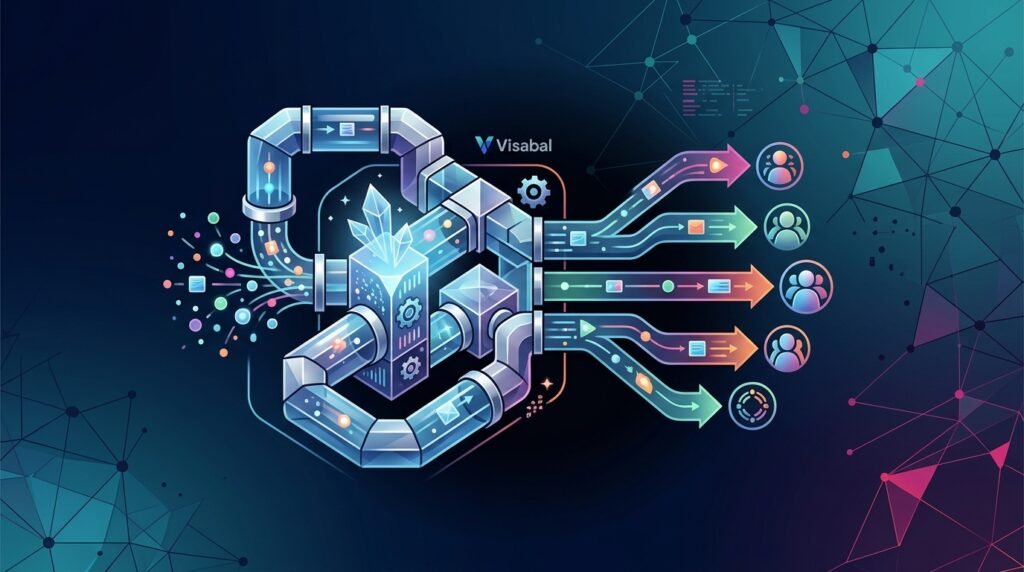
Outbound sales is no longer a volume game alone. Buyers are flooded with generic emails, templated LinkedIn messages, and automated follow-ups that feel like they were written for everyone and no one at the same time. The teams winning today are not simply sending more. They are using AI outbound sales software and AI outbound automation software to send smarter, better-timed, more relevant outreach at scale.
For growth teams, founders, agencies, and sales organizations, the opportunity is clear: AI can reduce manual prospecting work, improve message quality, and help reps focus on conversations instead of administrative tasks. But the risk is also real. Poor automation can damage sender reputation, annoy ideal customers, and create a pipeline full of low-intent replies.
At Visabal, we believe the best outbound systems combine automation with strategy. AI should not replace good positioning, clean data, or human judgment. It should amplify them.
What Is AI Outbound Sales Software?
AI outbound sales software is a platform or workflow system that uses artificial intelligence to help sales teams identify prospects, research accounts, personalize outreach, automate follow-ups, classify replies, and track performance across the outbound sales process.
In simple terms, it helps teams move from manual, repetitive prospecting to a more intelligent outbound engine. Instead of writing every email from scratch, manually researching every account, and remembering every follow-up, teams can use AI to support the work while keeping humans in control of strategy, quality, and relationship-building.
AI outbound sales software often supports:
- Lead sourcing and prospect list building
- Account and contact enrichment
- ICP-based segmentation
- Personalized email and LinkedIn message generation
- Multi-step outbound sequencing
- Automated follow-up management
- Inbox and reply classification
- CRM updates and task creation
- Campaign analytics and reporting
- A/B testing for messaging, offers, and calls to action
The best systems are not just email-sending tools. They help sales teams understand who to contact, what to say, when to follow up, and which conversations deserve immediate attention.
What Is AI Outbound Automation Software?
AI outbound automation software is a system that uses artificial intelligence to streamline and improve outbound sales and marketing workflows. Instead of manually researching accounts, writing every email from scratch, scheduling follow-ups, and tracking responses across tools, teams can use AI-powered workflows to automate repetitive steps while maintaining personalization.
Typical capabilities include:
- Prospect and account research
- Lead list enrichment and segmentation
- Personalized email and message generation
- Automated follow-up sequences
- Inbox and reply classification
- CRM updates and task creation
- Campaign performance reporting
- A/B testing for messaging and offers
The key difference between traditional outbound tools and AI-powered platforms is context. Legacy automation usually sends the same sequence to a broad list. AI outbound automation software can adapt messaging based on prospect role, company, industry, recent signals, pain points, and stage in the buying journey.
AI Outbound Sales Software vs. General Sales Automation Tools
General sales automation tools are usually built to make repeatable tasks easier. They may schedule emails, assign tasks, log activity, create reminders, or move contacts through a fixed sequence. These functions are useful, but they do not automatically make outbound smarter.
AI outbound sales software goes further by helping with judgment-heavy parts of the outbound process. It can assist with research, summarize account context, suggest relevant message angles, generate personalized drafts, classify replies, and surface patterns from campaign performance.
The difference matters because outbound success depends on more than activity volume. A team can send a thousand emails and still fail if the list is wrong, the message is generic, the offer is unclear, or the follow-up is poorly timed.
A traditional automation tool might answer: How do we send this sequence faster?
AI outbound sales software should help answer: Who should receive outreach, what should we say, how should we follow up, and what is the market telling us?
That distinction is important for buyers evaluating tools. If the software only increases sending volume without improving targeting, relevance, or learning, it may create more risk than pipeline.
Why Outbound Teams Are Moving Toward AI
Outbound has become harder because buyers have become better at ignoring noise. A generic first line like “I noticed your company is doing great things” is not enough. Prospects expect relevance immediately.
AI helps outbound teams solve three major problems.
1. Research Takes Too Long
Manual research is valuable, but it is difficult to scale. A sales rep may spend 5–10 minutes researching one account before writing a message. Multiply that by hundreds of prospects and the economics become difficult.
AI can summarize company websites, identify industry context, scan publicly available signals, and generate useful talking points much faster. The rep can then review and refine instead of starting from zero.
2. Personalization Is Often Superficial
Many outbound campaigns claim to be personalized but only swap in a first name, company name, or job title. Real personalization connects the message to a business problem the prospect likely cares about.
AI outbound automation software can help build messages around relevant context such as:
- The prospect’s role and likely priorities
- The company’s market or growth stage
- Hiring trends or operational changes
- Technology stack signals
- Industry-specific challenges
- Recent content, funding, expansion, or announcements
The result is outreach that feels more useful and less automated.
3. Follow-Up Consistency Breaks Down
Most deals do not come from the first touch. But many teams fail to follow up consistently because reps are busy, data is scattered, or sequences are not well managed.
AI can automate follow-ups, adjust messaging based on engagement, and help teams prioritize interested prospects. This creates a more reliable outbound engine without forcing reps to manually manage every step.
Core Features to Look For in AI Outbound Sales Software
Not all outbound automation is equal. The best tools and workflows are designed to protect quality while increasing scale. When evaluating AI outbound sales software, look for features that improve targeting, message relevance, execution, and learning.
Lead Sourcing and Prospect Discovery
Outbound performance starts with the list. AI can help teams find companies and contacts that resemble their ideal customer profile, identify relevant segments, and organize prospects by fit.
However, lead sourcing should never be treated as a pure volume exercise. A larger list is not automatically better. The strongest outbound systems help teams focus on the accounts most likely to care about the offer.
Useful lead sourcing workflows may include:
- Building lists by industry, company size, geography, or role
- Finding decision-makers and influencers within target accounts
- Organizing accounts by priority or segment
- Identifying potential trigger events or business context
- Removing obvious poor-fit contacts before outreach begins
Data Quality and Enrichment
Bad data creates bad outbound. If your list is inaccurate, outdated, or poorly matched to your ICP, AI will simply help you reach the wrong people faster.
A reliable outbound system should support clean lead sourcing, enrichment, deduplication, and validation. Email deliverability also depends on reducing bounces and avoiding low-quality lists.
AI can help enrich records with company descriptions, roles, industries, and other context, but teams still need quality control. If a platform produces uncertain or unverified information, reps should review it before using it in outreach.
Clear ICP and Segmentation
AI is only as useful as the strategy behind it. Before generating outreach, your team needs a clear ideal customer profile. That means defining the industries, company sizes, roles, triggers, and pain points that matter most.
Strong segmentation helps AI create more relevant messaging. For example, the same offer should not be framed identically for a founder, a VP of Sales, and a RevOps leader. Each person has different priorities.
Good segmentation can be based on:
- Role or seniority
- Industry or niche
- Company size or stage
- Business model
- Pain point
- Buying trigger
- Current tool or process
- Level of urgency
The more specific the segment, the easier it is to write outreach that feels directly relevant.
Message Personalization With Guardrails
AI-generated copy should be helpful, accurate, and aligned with your brand voice. It should not invent facts, exaggerate claims, or create awkward compliments.
Visabal’s approach to outbound emphasizes controlled personalization: use AI to create relevant context, but keep messaging structured around a clear value proposition, proof points, and a simple call to action.
Strong personalization should connect three things:
- The prospect’s likely situation
- The problem or opportunity your offer addresses
- The next step you are asking them to take
Personalization fails when it becomes decorative. A flattering opening line does not matter if the rest of the email is generic. The goal is not to prove that you researched the prospect. The goal is to show that your outreach is relevant to their business.
Multi-Step Sequencing
Effective outbound rarely depends on one message. A strong sequence may include several emails, LinkedIn touches, call tasks, and value-based follow-ups. AI can help generate variations while keeping the core message consistent.
A good sequence should answer:
- Why this prospect?
- Why now?
- What problem are we addressing?
- What outcome can we help create?
- What is the next low-friction step?
AI outbound sales software should make it easy to create, test, and manage these sequences without losing control of tone or accuracy. The best sequences feel like a coherent conversation, not a stack of disconnected reminders.
Follow-Up Automation
Follow-up is where many outbound campaigns either compound value or create irritation. A useful follow-up should add context, clarify the offer, handle a likely objection, share a relevant angle, or make the decision easier.
AI can help draft follow-ups based on the original message, prospect segment, and engagement history. It can also help avoid repetitive messages that simply say “checking in” without adding anything useful.
Good follow-up automation should allow teams to:
- Space touches appropriately
- Stop outreach when a prospect replies or unsubscribes
- Adjust messaging by segment or behavior
- Route interested replies to humans quickly
- Keep sequence logic clear and auditable
Reply Detection and Prioritization
Once replies come in, speed matters. AI can help classify responses as positive, negative, referral, out-of-office, objection, or unsubscribe. This allows teams to prioritize real opportunities quickly.
For example, a positive reply should trigger a fast human response. A referral should create a new contact path. An objection can be tagged for follow-up with a relevant proof point or resource.
This matters because not every reply has equal value. A strong outbound system helps sales teams spend more time on real conversations and less time manually sorting inbox activity.
Deliverability Protection
Outbound automation must be built responsibly. Sending too much too quickly can harm domain reputation and reduce inbox placement. AI outbound campaigns should include sensible sending limits, bounce management, unsubscribe handling, and message variation.
Scaling outbound is valuable only if your emails actually reach the inbox.
Deliverability protection should be treated as a core requirement, not an afterthought. Teams should monitor bounce issues, avoid questionable lists, respect opt-outs, and maintain message quality. AI can help manage parts of the process, but it cannot compensate for reckless sending behavior.
Analytics and Campaign Learning
AI outbound sales software should help teams learn from the market. Reporting should go beyond surface-level activity and help answer practical questions:
- Which segments are responding?
- Which message angles create conversations?
- Which offers generate interest?
- Which objections appear repeatedly?
- Which follow-ups create positive replies?
- Where are prospects dropping off?
The point of analytics is not just to prove that activity happened. It is to improve targeting, positioning, and execution over time. If a campaign produces weak replies, the answer is not always to send more. Sometimes the list, offer, timing, or message needs to change.
CRM Integration and Sales Workflow Fit
AI outbound sales software should fit into the sales workflow your team already uses. If replies, tasks, notes, and contact updates live in disconnected systems, reps may miss important context or duplicate work.
CRM integration can help teams:
- Sync contact and account activity
- Create tasks after key events
- Log replies and campaign touches
- Update lead status
- Route qualified prospects to the right owner
- Keep reporting cleaner across sales and marketing
The goal is not automation for its own sake. The goal is a clearer, more reliable outbound operating system.
How to Evaluate AI Outbound Sales Software
Buying AI outbound sales software should not start with the flashiest demo. It should start with your outbound strategy, sales process, and risk tolerance.
Here are practical criteria to use when evaluating a platform or workflow.
Must-Have Criteria
Look for software that supports the fundamentals of responsible outbound:
- Clear ICP and segmentation workflows
- Lead enrichment and data quality controls
- Personalization that can be reviewed and edited
- Multi-step sequences with flexible logic
- Reply detection and routing
- Deliverability safeguards
- CRM integration or reliable data syncing
- Campaign reporting by segment and message angle
- Human approval options before launch
- Unsubscribe and suppression handling
A good platform should help your team move faster without removing accountability.
Strategic Questions to Ask
Before choosing a tool, ask:
- Does this help us target better-fit prospects or only send more messages?
- Can we control the claims AI makes in our outreach?
- Can we review personalization before messages go live?
- Does the system make it easy to segment by role, industry, or trigger?
- How are replies classified and routed?
- What deliverability controls are available?
- Will this integrate with our CRM and reporting process?
- Can we learn which audiences and messages are working?
The answers will reveal whether the software supports a thoughtful outbound motion or simply accelerates activity.
Red Flags to Avoid
Be cautious if a tool or workflow encourages:
- Sending high volume before validating the offer
- Using vague or unverified personalization
- Uploading low-quality lead lists without validation
- Removing human review from sensitive messaging
- Treating open rates as the main measure of success
- Ignoring unsubscribes, bounces, or negative replies
- Using one generic sequence for every audience
- Making claims that your team cannot prove
AI can make a strong outbound process more efficient. It can also make a weak process fail faster.
How Visabal Thinks About AI Outbound Automation
Visabal helps businesses approach outbound automation as a system, not a shortcut. The goal is not to spray thousands of generic messages. The goal is to build repeatable campaigns that connect the right offer with the right audience in a way that feels relevant and professional.
A practical Visabal-style outbound workflow includes:
- Define the offer: Clarify the business outcome, not just the service or product.
- Identify the ICP: Build focused segments based on fit and buying likelihood.
- Create message angles: Develop outreach themes for each audience.
- Use AI for research and drafting: Generate personalized context and first drafts.
- Review and refine: Keep human quality control in the loop.
- Launch controlled sequences: Start with manageable volume and monitor early signals.
- Analyze replies and meetings: Optimize based on real market feedback.
- Scale what works: Increase volume only after messaging and targeting prove effective.
This is where AI outbound automation software becomes powerful. It gives teams the speed of automation without losing the discipline of good sales strategy.
Common Mistakes to Avoid
AI can make outbound better, but it can also amplify mistakes. Avoid these common errors.
Sending Before Positioning Is Clear
If your offer is vague, AI will not fix it. Prospects need to quickly understand why your message matters. Start with a clear pain point and outcome.
Before launching a campaign, make sure your team can explain:
- Who the offer is for
- What problem it solves
- Why the problem matters now
- What outcome the prospect can reasonably expect
- Why the prospect should take a meeting or reply
If those answers are unclear, the campaign will likely produce weak results regardless of the software.
Over-Personalizing Without Relevance
Mentioning a prospect’s podcast appearance or recent post can work, but only if it connects to your offer. Personalization should create a bridge to a business problem, not feel like a forced opening line.
The best personalization is specific, brief, and purposeful. It should make the message feel considered without distracting from the reason for outreach.
Using One Sequence for Everyone
Different audiences need different angles. Segment campaigns by role, industry, company size, or trigger event. AI performs better when it has a specific audience and objective.
A CFO, founder, sales leader, and operations leader may all care about growth, but they usually care for different reasons. Your outbound messaging should reflect those differences.
Ignoring Negative Signals
Low open rates, high bounce rates, no replies, and unsubscribe spikes are warning signs. Do not keep increasing volume when the market is telling you something is wrong.
Negative signals can point to issues with list quality, deliverability, offer relevance, message clarity, or timing. Treat them as feedback, not as noise to push through.
Removing Human Review Completely
Fully automated outreach can create errors, inaccurate assumptions, and off-brand messaging. Human review is especially important when messages reference company details, make performance claims, or target high-value accounts.
AI should reduce manual effort, not remove responsibility. A human should still own the strategy, the promise being made, and the quality of the prospect experience.
A Practical Rollout Plan for AI Outbound Sales Software
If your team is new to AI outbound, start small and build confidence before scaling.
Step 1: Choose One Focused Segment
Do not start with every possible buyer. Pick one segment where the pain point is clear and the offer is strong. This makes it easier to judge whether the message is working.
Step 2: Build a Clean Test List
Use a small, relevant list of prospects that match your ICP. Remove poor-fit contacts, duplicates, and records that do not have enough context for responsible outreach.
Step 3: Create Two or Three Message Angles
Test different ways of framing the same offer. One angle might focus on revenue growth, another on operational efficiency, and another on missed opportunities. Keep the test controlled so you can learn from it.
Step 4: Use AI for Drafting, Not Blind Sending
Let AI assist with research, personalization, subject line ideas, and follow-up drafts. Then review the output for accuracy, tone, and relevance before launch.
Step 5: Monitor Replies, Not Just Activity
Outbound success is not measured by how many messages were sent. Pay attention to positive replies, objections, referrals, meeting quality, and patterns in prospect feedback.
Step 6: Improve Before Scaling
Once a segment and message angle show promise, improve the sequence and expand carefully. Scaling should come after validation, not before it.
Final Thoughts
AI outbound sales software can help teams build a smarter pipeline, but only when it is used with discipline. The winning formula is not more automation at any cost. It is better targeting, sharper messaging, consistent follow-up, cleaner data, and faster learning.
The best outbound systems combine AI speed with human strategy. They protect deliverability, respect the prospect’s attention, and focus on creating qualified conversations rather than inflated activity metrics.
If your team treats AI as a shortcut, it can burn your market. If you treat it as part of a thoughtful outbound operating system, it can help you reach better-fit prospects with messages that are more relevant, timely, and useful.
Frequently asked questions
What is AI outbound sales software?
AI outbound sales software uses artificial intelligence to help sales teams source leads, research accounts, personalize outreach, automate follow-ups, classify replies, update CRM records, and analyze outbound campaign performance.
What is AI outbound automation software?
AI outbound automation software uses artificial intelligence to automate and improve prospecting, lead research, message personalization, follow-up sequences, reply classification, and outbound campaign reporting.
How is AI outbound different from traditional sales automation?
Traditional sales automation usually sends fixed sequences to broad lists. AI outbound can adapt messaging based on prospect role, company context, industry, signals, and engagement, making outreach more relevant.
What features should AI outbound sales software include?
Important features include lead sourcing, data enrichment, ICP segmentation, AI-assisted personalization, multi-step sequencing, follow-up automation, reply detection, deliverability controls, analytics, and CRM integration.
Can AI outbound automation improve email reply rates?
Yes, when used correctly. AI can improve reply rates by helping teams target better-fit prospects, personalize messages with relevant context, test different angles, and follow up consistently.
Is AI outbound automation safe for email deliverability?
It can be, but only if campaigns use clean data, reasonable sending limits, bounce management, unsubscribe handling, and message quality controls. Poor automation can harm sender reputation.